Choose your model.
Connect Ollama or LM Studio locally. Bring cloud API keys for OpenAI, Anthropic, Gemini, xAI, OpenRouter, or another supported compatible endpoint. Give each agent its own model.
 STRIX
STRIXYOUR INTELLIGENCE, YOUR RULES
Build a team of AI agents that works the way you do. Bring local models or your favorite cloud APIs, with a persistent workspace on your laptop.
Agents, conversations, knowledge, and routines.
A Windows app built around your control.
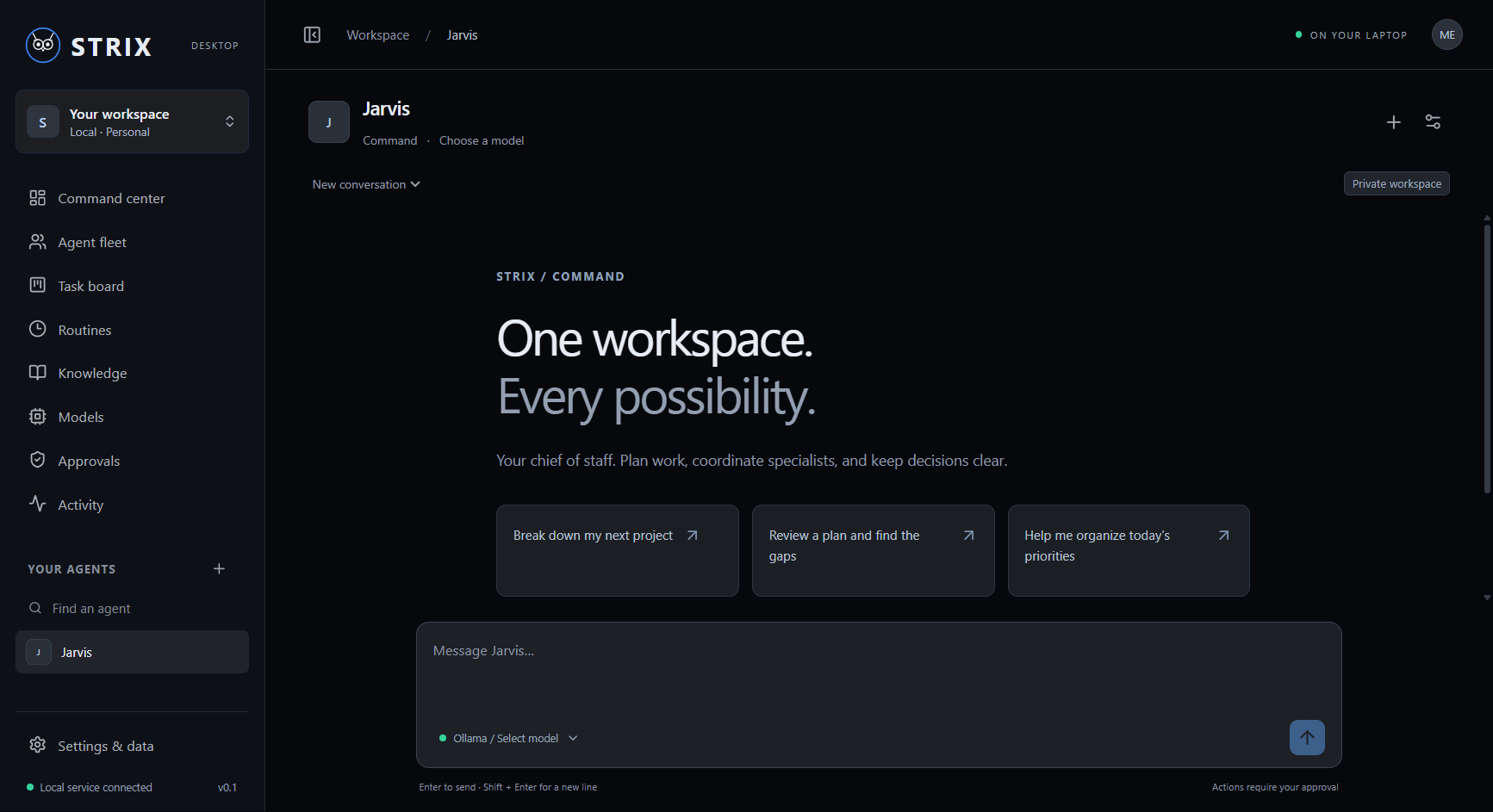
REAL APPLICATION · STRIX 0.1.2LOCAL WORKSPACE / MODEL AGNOSTIC
Connect Ollama or LM Studio locally. Bring cloud API keys for OpenAI, Anthropic, Gemini, xAI, OpenRouter, or another supported compatible endpoint. Give each agent its own model.
Conversations, role instructions, knowledge documents, tasks, and schedules live in a local database. Change models without starting your workspace over.
Inspect proposed file changes and commands before they run. Provider keys use Windows encryption. Export your data and import a Grok Bot handoff when you are ready.
FROM INSTALL TO FIRST CONVERSATION
Run the Windows installer. Open STRIX from your desktop or Start menu. The application runtime is included.
Open Models, choose a provider, and follow its setup guide or Get API key link. Test the connection, choose a model, and enable it for Jarvis.
Send your first message, create specialists, and attach your project notes. Routines run while STRIX is open and your laptop is awake.
Installer: STRIX-Setup-0.1.2.exe
Version 0.1.2 · SHA-256